
Web Development
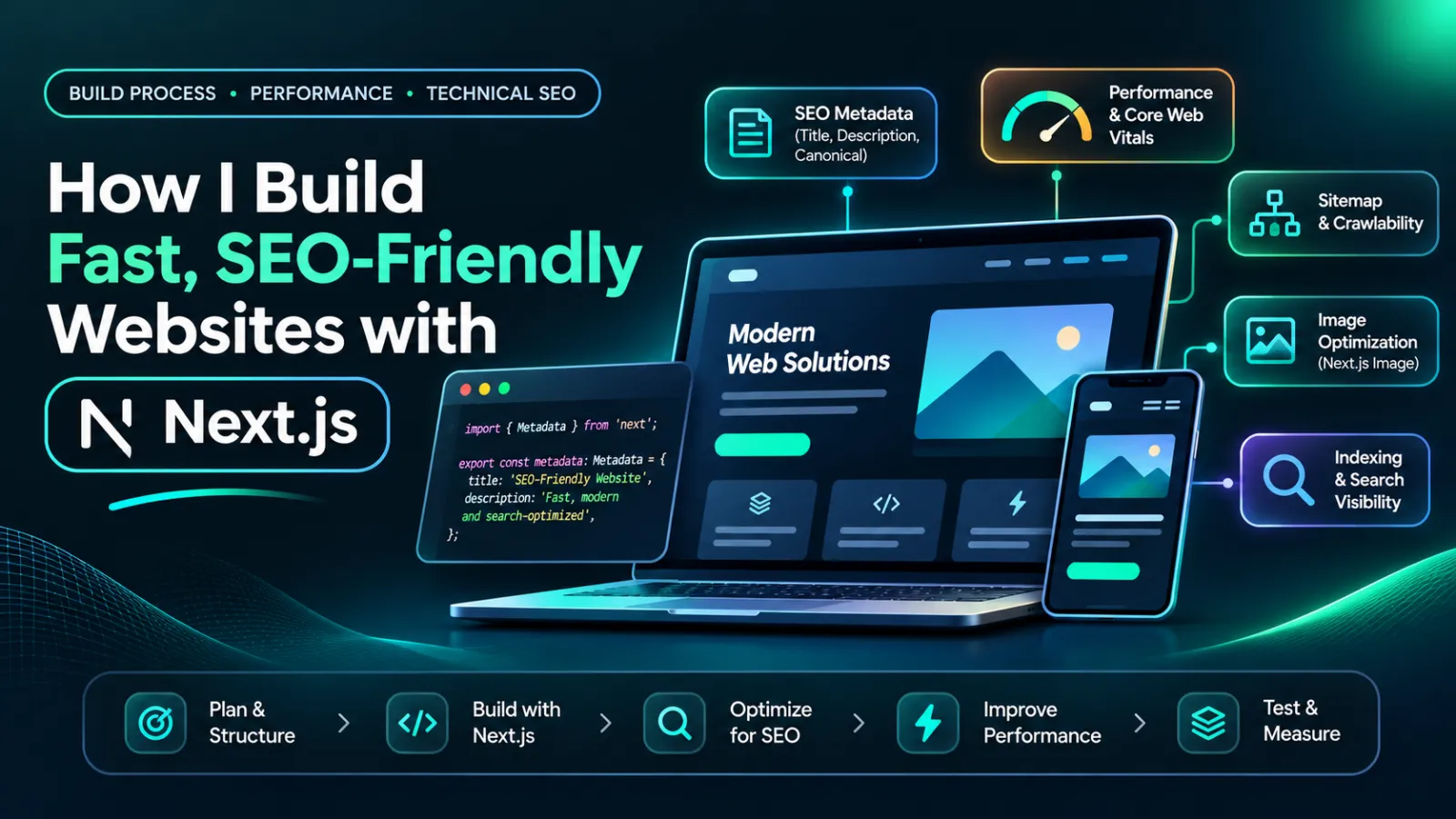
How I Build Fast, SEO-Friendly Websites with Next.js
Discover how I build fast, SEO-friendly Next.js websites using smart rendering, optimized images, structured data, and real portfolio examples.

Written byShykat Roy
- Published:
- Reading time
- 12 min read
How I Build Fast, SEO-Friendly Websites with Next.js
A beautiful website is great, but if it takes too long to load or search engines struggle to understand its content, its design alone won't deliver results.
As a full-stack developer, I often think about three things when planning a website: how quickly people can use it, how easily search engines can discover its pages, and how effectively it helps the business achieve its goals.
That's why Next.js is one of the technologies I work with.
It gives me the flexibility to build interactive React interfaces while providing useful tools for rendering, performance optimization, and technical SEO.
In this article, I'll explain my approach to building fast, SEO-friendly websites with Next.js, including examples from my portfolio and the technical decisions that matter most.
Quick answer: Building a fast, SEO-friendly Next.js website starts with clear page architecture, accessible content, appropriate rendering, optimized assets, and accurate metadata. I focus on making important pages easy to crawl, keeping JavaScript lightweight, improving mobile usability, and testing performance. These decisions create a stronger technical foundation for search visibility and user experience.
1. I Start With the Business Problem, Not the Framework
Before writing code, I want to understand what the website is supposed to achieve.
Some businesses need more phone enquiries. Others want customers to book appointments or request quotations without sending multiple messages.
These are different problems, so they require different page structures and user journeys.
For example, my portfolio includes three Next.js and React demo projects:
- A website concept for a local clinic.
- An online booking experience for a hair salon.
- A quotation-request website for a local trades business.
Each project has a different primary goal, even though all three use similar front-end technologies.
The clinic website focuses on making information easy to find. The salon prioritizes bookings, while the trades website emphasizes service areas and quotation requests.
These are demonstration projects rather than live client deployments with measured business results.
They illustrate how I approach specific business requirements when planning websites.
Why This Matters for SEO
Search engine optimization begins with understanding what people are searching for.
A clinic visitor might search for available treatments, opening hours, or contact information.
A salon customer may want to compare services and make an appointment.
A homeowner looking for a tradesperson might need to confirm which areas the business serves.
Understanding these needs helps me plan useful pages, descriptive headings, and straightforward navigation.
2. I Choose the Right Next.js Rendering Approach
One advantage of Next.js is that it supports different ways of rendering website content.
Choosing the appropriate approach matters because it affects loading behavior, content availability, and server requirements.
Static Rendering for Content-Focused Pages
For pages that rarely change, I generally consider static rendering.
Typical examples include:
- Homepage content.
- About pages.
- Service descriptions.
- Portfolio case studies.
- Blog articles.
Static content can be generated ahead of requests and delivered efficiently.
This reduces the need to generate the same content repeatedly for every visitor.
Server Rendering for Dynamic Information
Not everything should be static.
Some applications need current information, personalized content, or data that changes frequently.
A booking system, for example, may need to retrieve up-to-date appointment availability.
For these situations, server-side rendering or other server-based data-fetching approaches can be appropriate.
The important decision is not whether one rendering method is universally better.
It's whether the chosen approach provides the right content, at the right time, without unnecessary complexity.
Why Rendering Matters for Google
Google can process JavaScript, but client-rendered content may require an additional rendering stage.
Making important public content accessible in the initial HTML reduces dependence on browser-side JavaScript.
I therefore treat rendering decisions as part of website architecture rather than leaving them until the final SEO audit.
3. I Structure Websites Around Real User Journeys
A technically fast website can still be difficult to use.
I focus on making information easy to find and helping visitors reach the next logical action.
Project Example: Local Clinic Website
My clinic demo project was designed around a simple objective: help visitors find treatments, opening hours, and contact information from their phones.
The project includes a clear homepage, treatment information, and contact options.
The intended experience is straightforward.
Someone looking for a particular treatment should be able to identify the relevant page without navigating through several unrelated sections.
Important information should appear where visitors expect it.
[Insert actual screenshot 1: Clinic demo homepage showing treatments, contact details, and opening hours.]
Caption: My clinic website concept places essential information where visitors can find it quickly.
The SEO Decision
For a website like this, I prioritize descriptive service headings, accessible navigation, and individual pages for important treatments.
This structure helps users navigate the content and gives search engines clearer information about what each page covers.
I also consider mobile usability from the beginning because the design should work comfortably on smaller screens.
A strong page structure benefits both visitors and search crawlers.
4. I Optimize Images, Fonts, and JavaScript
Website performance is not just about how quickly a page appears.
It also involves how smoothly the page responds to interactions and whether elements move unexpectedly while loading.
Next.js provides several useful optimization features.
Image Optimization
Large images can significantly affect loading performance.
Next.js includes an Image component that supports responsive image sizing, optimization, and layout stability.
When working on a website, I consider whether images are appropriately sized, whether their formats are efficient, and when they need to load.
For example, a large homepage image may deserve different loading treatment from images far below the first screen.
Font Optimization
Custom fonts can also affect page performance.
Next.js provides font-loading utilities that support self-hosting and reduce unnecessary network requests.
I aim to use an appropriate number of fonts and font weights rather than loading every variation.
The objective is a consistent design without introducing unnecessary loading costs.
Reduce Unnecessary Client-Side JavaScript
Interactive components are valuable, but not every part of a website needs to run in the browser.
With the Next.js App Router, Server Components are available by default.
I prefer keeping static content on the server where practical and using Client Components for features that genuinely need browser-side interaction.
This can reduce the JavaScript required for a page.
However, I don't assume that using Server Components automatically makes every website fast. Real performance still needs to be measured.
5. I Make SEO Part of the Development Process
Technical SEO should not be something added only after a website launches.
I consider it while creating pages and planning the application structure.
Unique Titles and Meta Descriptions
Every important page needs metadata that describes its actual purpose.
For example, a clinic treatment page should have a title related to that treatment, rather than repeating the homepage title.
The Next.js Metadata API makes it possible to configure page-level titles, descriptions, canonical URLs, and other metadata.
For dynamic pages, metadata can be generated from the content being displayed.
XML Sitemaps and Crawlability
A sitemap helps search engines discover important pages.
I also consider whether navigation links are accessible and whether pages have unintended indexing restrictions.
Simply creating hundreds of URLs is not an SEO strategy.
The priority is making genuinely useful pages accessible to search engines.
Canonical URLs
Websites sometimes expose the same content through different URLs.
Canonical tags help identify the preferred version.
I aim for consistent internal linking, canonical addresses, and redirect behavior so the site communicates one preferred URL for each important page.
Structured Data
Structured data can provide additional context about website content.
Depending on the page, relevant schema types may include Person, ProfilePage, BlogPosting, or BreadcrumbList.
For example, a developer's About page can identify the person behind the website, while a blog article can identify its author and publication date.
Structured data does not guarantee higher rankings, but accurate markup helps search engines interpret page relationships.
6. I Design Conversion Paths Around the Business
SEO brings potential visitors to a website. The website then needs to help those visitors accomplish something useful.
This is especially important for small businesses that depend on bookings, enquiries, or quotation requests.
Project Example: Hair Salon Booking Website
My hair salon demo explores a website where customers can browse services, compare prices, and move through an appointment-booking flow.
The design puts booking at the center of the experience rather than hiding it behind several pages.
The project also demonstrates the idea of appointment confirmations and management features.
[Insert actual screenshot 2: Salon demo homepage or service-selection screen from the existing portfolio case study.]
Caption: My salon booking concept emphasizes service selection and a straightforward path to an appointment.
The Development Decision
For booking-focused websites, I pay attention to the number of steps customers must complete.
A booking form should ask for necessary information without becoming unnecessarily complicated.
The layout should remain usable on mobile devices, and customers should understand what happens after submitting their details.
These decisions are not direct ranking factors by themselves, but they contribute to a better customer experience.
7. I Build Clear Service Pages for Local Businesses
Another important part of website development is understanding how customers search for local services.
Project Example: Tradesperson Quote Request Website
My trades website demo focuses on making it easier for potential customers to understand the services offered and request a quotation.
The concept includes service information, areas covered, and a short enquiry form.
It also prioritizes a phone-friendly experience.
[Insert actual screenshot 3: Trades demo homepage or service page showing the quote-request action.]
Caption: My trades website concept makes services, coverage areas, and quotation requests easy to find.
The SEO Decision
For local service websites, I consider:
- Clear descriptions of each service.
- Accurate information about the areas served.
- Descriptive headings and relevant page titles.
- Contact options that work on mobile.
- Logical internal links between related services.
I avoid creating numerous nearly identical location pages simply to target more keywords.
Each important page should provide useful information for its intended audience.
8. I Test Performance Instead of Making Assumptions
A website can feel fast on a developer's computer but perform differently on a mobile device with a slower connection.
That's why performance testing matters.
I use Core Web Vitals as a practical framework for evaluating real user experience.
| Metric | Good performance threshold |
|---|---|
| Largest Contentful Paint (LCP) | 2.5 seconds or less |
| Interaction to Next Paint (INP) | 200 milliseconds or less |
| Cumulative Layout Shift (CLS) | 0.1 or less |
LCP measures loading performance. INP measures responsiveness, while CLS measures unexpected visual movement.
These thresholds are assessed using real-user data where sufficient data is available.
How I Evaluate a Website
My performance evaluation approach includes checking:
- Whether important content becomes visible promptly.
- Whether images are causing unnecessary loading delays.
- Whether JavaScript creates long tasks.
- Whether page layouts remain stable.
- Whether the website responds smoothly on mobile devices.
Lighthouse and PageSpeed Insights can help identify performance problems.
However, a single Lighthouse result is only a diagnostic snapshot. It should not be treated as proof that every visitor experiences the same speed.
Measuring My Portfolio Projects
My clinic, salon, and trades examples are demonstration projects, so I don't have verified client conversion data for them.
Before presenting performance improvements as case-study results, I need reproducible test results.
For each project, I would record the production URL, test date, device profile, Lighthouse results, and any available field data.
That allows readers to distinguish measured performance from design intentions.
9. I Check Indexing and Website Analytics After Launch
Launching a website is only the beginning.
Even when a website has correct metadata and a sitemap, Google may take time to discover or index individual pages.
Google Search Console helps identify indexing status, crawl issues, search queries, clicks, and impressions.
Website analytics can also help explain how visitors interact with important pages.
For a business website, I want to understand more than how many people visit.
I also want to know whether users interact with calls to action, complete enquiry forms, or begin bookings.
Tracking those actions helps connect website functionality with the business's actual goals.
However, I avoid promising rankings or lead increases based solely on the technical framework.
SEO results depend on content quality, competition, website reputation, and many other factors.
10. My Approach to Building a Better Next.js Website
The development process I aim to follow is straightforward.
First, understand the business. Identify the intended audience, services, content, and primary customer actions.
Second, plan the structure. Organize pages and navigation around useful information.
Third, choose the technology. Decide which content can be static and which features require dynamic behavior.
Fourth, build for performance. Use appropriate image handling, font optimization, and server/client component boundaries.
Fifth, implement technical SEO. Configure metadata, canonical URLs, crawlable navigation, structured data, and sitemaps.
Finally, test and improve. Evaluate performance, accessibility, indexing, and customer interactions using actual measurements.
I believe a good website should be technically reliable, understandable to visitors, and practical for the business that owns it.
Final Thoughts
Next.js is a useful framework for developing modern, SEO-friendly websites, but the framework alone doesn't make a website successful.
What matters is how the application is designed and implemented.
Through my clinic, salon, and trades website demonstrations, I explore how different business requirements influence content structure, navigation, functionality, and user experience.
My objective is to combine thoughtful design with sound engineering decisions, creating websites that are easier to use, maintain, and discover.
Need a fast, SEO-friendly website for your business?
I'm Shykat Roy, a full-stack web developer working with Next.js, React, Laravel, and other modern web technologies. I build business websites and custom web applications with a focus on practical functionality, maintainability, and user experience.
If you're planning a new website or improving an existing one, I'd be happy to discuss your project.
Topics
- Next.js Development
- Next.js SEO
- Website Performance
- Full-Stack Development
- React
- Core Web Vitals
- Server-Side Rendering
- Technical SEO
- Image Optimization
- Web Development
Frequently asked questions
Why do I use Next.js for SEO-friendly websites?
Next.js provides useful tools for rendering page content, managing metadata, optimizing images, and creating sitemaps. These features can simplify technical SEO implementation. However, search visibility still depends on content quality, crawlability, website performance, and other factors beyond the framework itself.
Does Next.js automatically make a website faster?
No. Next.js includes performance optimization features, but actual website speed depends on implementation. Large images, unnecessary JavaScript, slow server responses, and poorly configured third-party scripts can still create problems. Performance should always be tested rather than assumed.
How do I optimize Next.js websites for Google?
I focus on accessible content, appropriate rendering, descriptive metadata, canonical URLs, crawlable navigation, structured data, and strong mobile usability. I also review indexing reports and performance data to identify technical problems that need attention.
Can Next.js help small businesses generate more leads?
Next.js can support fast, mobile-friendly websites with features such as enquiry forms, appointment booking, and custom applications. However, generating leads also depends on relevant website traffic, clear messaging, trust, service quality, and an effective customer journey.
How do I know whether my Next.js website is performing well?
Website performance can be evaluated using Core Web Vitals, Lighthouse diagnostics, indexing reports, and analytics. I look at loading, responsiveness, layout stability, and whether visitors successfully complete important actions. A combination of technical and business measurements gives a more useful picture than one performance score.
Keep reading
All articles Web Development
WordPress vs Custom Website: Which Is Better for Your Business?
WordPress vs custom website: compare costs, speed, SEO, security, and flexibility to find the right website solution for your business.
7 min read
 Website Optimization
Why Your Small Business Website Isn't Getting Leads (And How to Fix It)
10 Reasons Your Small Business Website Isn't Getting Leads and How to Fix Them to Attract More Customers.
9 min read