
Website Optimization
How Much Website Maintenance Does a Small Business Need?
Learn what small business website maintenance includes, how often to update your site, and how to prevent security, speed, and SEO problems.

Written byShykat Roy
- Published:
- Updated:
- Reading time
- 9 min read

You've launched your business website. The design looks good, the contact form works, and your services are available online.
So, is the work finished?
Not quite.
A website isn't something you build once and forget about forever.
Over time, software changes, security vulnerabilities are discovered, customer information becomes outdated, and website performance can deteriorate.
Even a small website requires some level of ongoing attention.
But that doesn't mean you need to pay for an expensive maintenance package or make technical changes every day.
The right maintenance plan depends on how your website is built and how important it is to your business.
Quick answer: Small business website maintenance involves keeping software updated, monitoring security, testing essential features, maintaining backups, reviewing performance, and updating important content. Simple websites may require relatively little routine work, while booking systems, online stores, and custom applications need more frequent monitoring. The best maintenance schedule depends on website complexity, traffic, security risks, and business requirements.
What Is Website Maintenance?
Website maintenance is the ongoing process of keeping a website functional, secure, accurate, and accessible.
It includes both technical and content-related tasks.
Technical maintenance may involve software updates, backups, security reviews, performance checks, and bug fixes.
Content maintenance includes updating service descriptions, business information, images, and outdated articles.
For a small business, the objective is straightforward: customers should be able to visit the website, find reliable information, and complete important actions without unnecessary problems.
Why Website Maintenance Matters for Small Businesses
A neglected website can gradually become less effective.
For example, a contact form may stop sending notifications after a configuration change.
An outdated plugin might develop a compatibility problem.
A pricing page may display information that is no longer accurate.
These issues can affect customer confidence and business operations.
Prevent Avoidable Technical Problems
Routine checks help identify problems before they become more disruptive.
Protect Important Business Information
Backups and appropriate security controls reduce the risk of losing important website data.
Maintain a Good Customer Experience
Functional navigation, readable content, and reliable forms make it easier for visitors to interact with your business.
Support Long-Term SEO
Maintaining technical accessibility, accurate content, and functioning internal links supports the overall quality of your website.
Maintenance alone doesn't guarantee better Google rankings, but neglect can create problems that affect search visibility.
1. Keep Your Website Software Updated
Software updates are particularly important for websites that use content management systems, plugins, and themes.
For example, a WordPress website may rely on several components that are maintained independently.
Updates can introduce security improvements, bug fixes, and compatibility changes.
However, applying an update without checking its effects can occasionally create problems.
What I Recommend
Maintain a record of your website's important software components.
Before significant updates, confirm that you have a suitable backup or recovery option.
For higher-risk changes, test updates in a staging environment when possible.
After updating, verify that important website features still work.
For custom-built websites, the same principle applies to frameworks, libraries, and server dependencies.
An application doesn't become maintenance-free simply because it was built without WordPress.
2. Maintain Reliable Website Backups
Backups are one of the most important parts of a maintenance strategy.
If a website experiences a server failure, accidental deletion, or serious software problem, a usable backup can help restore operations.
However, having a backup file is not enough.
The backup must contain the necessary website files, database information, and configuration data.
How Often Should You Back Up?
The correct schedule depends on how frequently information changes.
A simple informational website that changes once a month may not need the same backup frequency as an online store receiving orders throughout the day.
For frequently changing applications, more frequent backups may be necessary.
I also recommend testing the recovery process periodically.
A backup strategy is only reliable when the business knows how to restore its website.
3. Monitor Website Security
Website security is an ongoing responsibility.
A website may initially be configured correctly but become exposed to new risks over time.
Common security concerns include outdated software, weak passwords, excessive user permissions, and insecure application functionality.
Essential Security Practices
Use HTTPS to protect information transmitted between visitors and the website.
Enable appropriate authentication protections for administrative accounts.
Review user permissions and remove access that is no longer needed.
Keep software dependencies updated and review relevant security advisories.
Monitor suspicious activity and investigate unusual changes.
For websites storing customer information, access controls and data protection measures deserve particular attention.
A website security review should focus on realistic risks rather than assuming that a single security plugin can prevent every problem.
4. Test Contact Forms and Business Features
Some website problems are not immediately visible.
A contact form might appear to work while its notification emails are being rejected.
A booking system might show appointments that cannot be reserved.
A payment integration might fail after an unexpected configuration change.
These problems can affect business operations even when the homepage loads normally.
What Should You Test?
Regularly review the actions customers are expected to complete.
For a service business, this may include submitting an enquiry, requesting a quotation, or booking a consultation.
For an online store, it may include adding products to a cart, completing checkout, and receiving confirmation messages.
Testing should cover the full workflow rather than just checking whether a button responds.
Where appropriate, confirm that successful submissions are recorded in your business system.
5. Monitor Website Speed and Performance
A website can become slower as new content, images, scripts, and functionality are added.
Performance monitoring helps identify changes that affect visitors.
Google's Core Web Vitals provide three useful measurements.
| Metric | Good performance threshold |
|---|---|
| Largest Contentful Paint (LCP) | 2.5 seconds or less |
| Interaction to Next Paint (INP) | 200 milliseconds or less |
| Cumulative Layout Shift (CLS) | 0.1 or less |
These metrics describe loading performance, responsiveness, and visual stability.
They are generally evaluated using real-user data at the 75th percentile.
What Can Affect Performance?
Large images, unnecessary JavaScript, slow server responses, and poorly configured third-party services can all create delays.
Instead of making random changes, identify the cause of the performance problem first.
For example, reducing the size of a large homepage image may be more useful than removing a small script that has little performance impact.
6. Review Your Website's SEO Health
Website maintenance should include basic SEO checks.
Important pages need to remain accessible to search engines.
Internal links should lead to the intended destinations.
Canonical URLs and indexing directives should remain consistent.
What Should You Monitor?
Review search indexing reports for unexpected changes.
Investigate important pages that return errors or become unintentionally excluded from indexing.
Check for broken internal links, significant redirect problems, and outdated page metadata.
You should also review pages that no longer reflect your actual services.
Does Website Maintenance Improve Rankings?
Not automatically.
Updating a page simply to change its publication date doesn't guarantee better performance.
Search visibility depends on the usefulness and relevance of the content, technical accessibility, and other ranking considerations.
The objective of maintenance is to preserve and improve quality where needed.
7. Keep Business Information Accurate
Customers rely on websites for important information.
If your opening hours, services, contact details, or pricing information are outdated, visitors may lose confidence.
Review important business information whenever your operations change.
For example, if a consultancy begins offering an additional service, its website should explain what that service includes.
If a business moves to a new address, the website should reflect that change.
These updates may appear minor, but they directly affect the customer's experience.
8. How Often Should You Maintain Your Website?
Not every maintenance task needs to happen every day.
A practical schedule might look like this:
| Frequency | Suggested tasks |
|---|---|
| Daily or automated | Uptime alerts and backups appropriate to business risk |
| Weekly | Check important forms, review critical security issues |
| Monthly | Review software updates, performance, indexing, and content |
| Quarterly | Test backup restoration, review access permissions and integrations |
| After major changes | Test important workflows, layout, analytics, and SEO settings |
This is a suggested framework, not a universal requirement.
A small static portfolio website may need fewer operational checks than a booking platform or online store.
Security-critical problems should be addressed according to their urgency, rather than waiting for the next scheduled review.
9. How Much Does Website Maintenance Cost?
Website maintenance costs vary significantly.
A simple informational website generally requires fewer maintenance activities than a custom application with customer accounts, payment processing, and database integrations.
What Influences the Cost?
Website complexity: More features can create more maintenance responsibilities.
Hosting requirements: Some hosting environments include managed services, while others require additional administration.
Software dependencies: Third-party components may require updates, compatibility testing, or paid renewals.
Business criticality: A website handling bookings or payments may require faster support and more extensive monitoring.
Support arrangements: Emergency response, guaranteed availability, and ongoing development can affect the service cost.
When comparing maintenance quotes, ask what is included.
A low-cost plan may cover only basic software updates, while a more comprehensive arrangement could include monitoring, backups, testing, content changes, and technical support.
Avoid assuming that every website needs the same package.
10. Should You Maintain Your Website Yourself?
Some small-business owners can manage routine website tasks independently.
For example, updating text, publishing articles, and replacing images may be straightforward when the website has a suitable content management system.
However, security changes, complex software updates, database problems, and application errors may require technical expertise.
Before taking responsibility for maintenance, consider whether you have the time and confidence to troubleshoot problems.
You should also know how to recover the website if something goes wrong.
For business-critical applications, professional maintenance support may reduce operational risk.
My Approach to Website Maintenance
As a full-stack developer, I consider maintenance requirements during the development stage.
A website should be built so that future updates are manageable.
This means choosing appropriate technologies, keeping dependencies organized, implementing necessary security controls, and considering how content will be edited.
I also believe businesses should understand what happens after launch.
A maintainable website isn't simply one that works today.
It's one that can be updated, supported, and improved without unnecessary difficulty.
Final Thoughts
Website maintenance is not just about fixing problems when something breaks.
It's about keeping your online presence reliable, secure, and useful to customers.
The right maintenance approach depends on your business, website architecture, and operational requirements.
Start with essential activities such as backups, security updates, functional testing, and accurate business information.
Then develop a schedule that reflects the importance and complexity of your website.
Need help maintaining or improving your business website?
I'm Shykat Roy, a full-stack web developer working with modern web technologies. I help businesses plan, build, and improve websites with an emphasis on functionality, performance, and maintainability.
Topics
- Website Maintenance
- Small Business Website
- Website Security
- Website Updates
- Website Backup
- Website Performance
- Technical SEO
- WordPress Maintenance
- Website Monitoring
- Web Development
Frequently asked questions
How often should a small-business website be maintained?
The frequency depends on website complexity and business activity. Important security issues should be addressed promptly, while routine performance, content, and functionality reviews can follow a weekly or monthly schedule. Business-critical applications may require continuous monitoring.
What does website maintenance include?
Website maintenance commonly includes software updates, security checks, backups, functional testing, performance monitoring, and content updates. More complex websites may also require database maintenance, integration monitoring, and application support.
How much does website maintenance cost for a small business?
Costs vary according to website complexity, hosting, software dependencies, required support, and frequency of updates. A simple business website may require relatively little maintenance, while an e-commerce website or custom application may need a more comprehensive support arrangement.
Can I maintain my business website myself?
Yes. Many business owners can manage content updates and basic website administration. However, security fixes, database problems, major software upgrades, and complex technical issues may require professional assistance.
Does regular website maintenance help with SEO?
Maintenance can support SEO by keeping important pages accessible, fixing technical errors, improving usability, and ensuring information stays accurate. However, maintenance alone doesn't guarantee higher rankings. Useful content and an effective SEO strategy remain essential.
Keep reading
All articles Web Development
WordPress vs Custom Website: Which Is Better for Your Business?
WordPress vs custom website: compare costs, speed, SEO, security, and flexibility to find the right website solution for your business.
7 min read
 Web Development
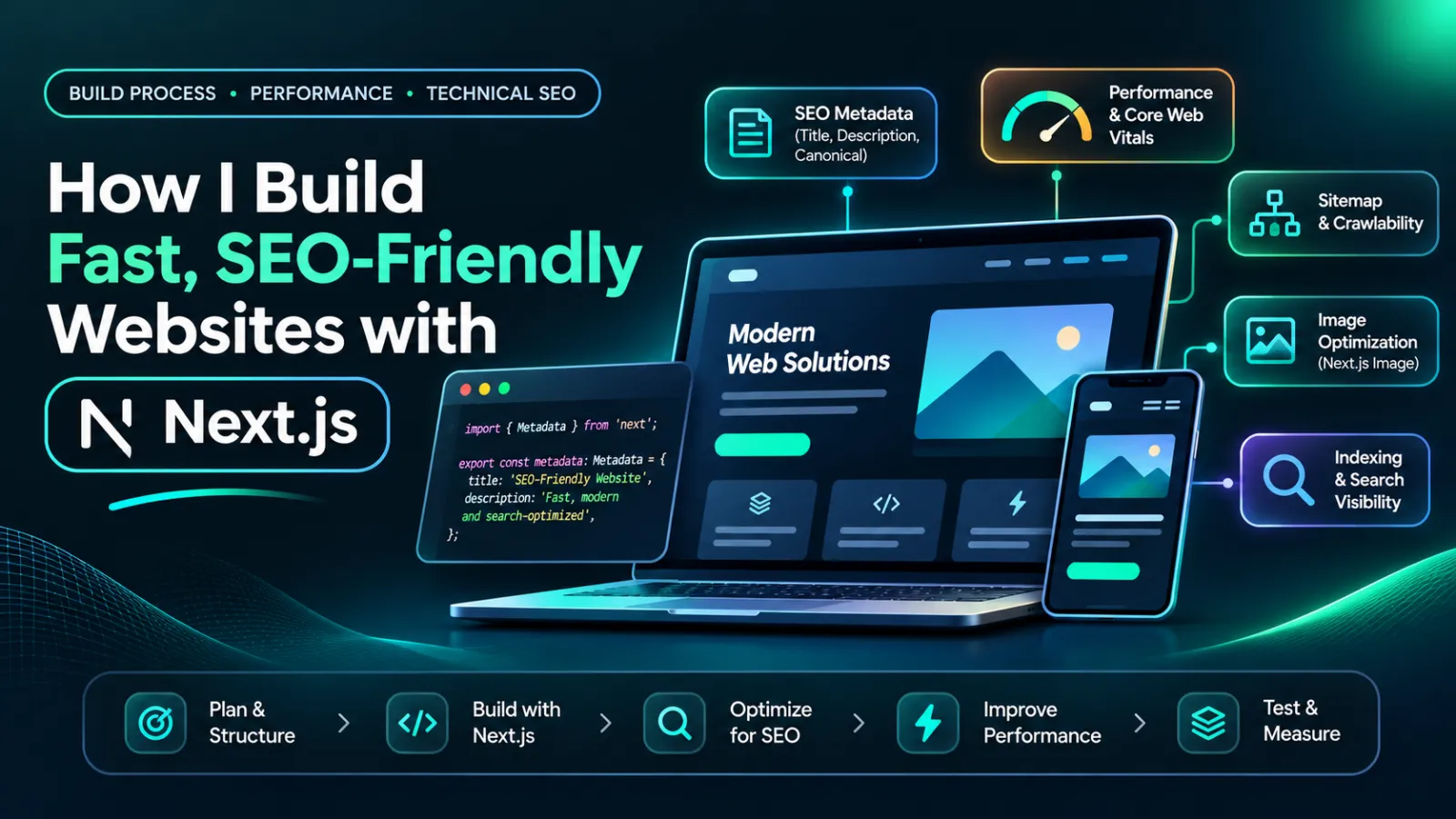
How I Build Fast, SEO-Friendly Websites with Next.js
Discover how I build fast, SEO-friendly Next.js websites using smart rendering, optimized images, structured data, and real portfolio examples.
12 min read